Wix COGS Software

Simple, automatic COGS software for your Wix Store

Track your Wix COGS with accuracy. Craftybase takes care of the time-intensive calculations you don't want to do, so you can concentrate on growing your business.

Start a 14 day free trial →

*no credit card required

Craftybase Inventory and Manufacturing
Get more from your Wix store

Effortless manufacturing workflow management

Take control of complex production processes. From COGS tracking to raw materials and finished goods, Craftybase handles multi-stage production (components, sub-assemblies, and batch recipes) so manufacturing runs smoothly from start to finish. Every batch records exactly what materials were used and at what cost, updated in real time.

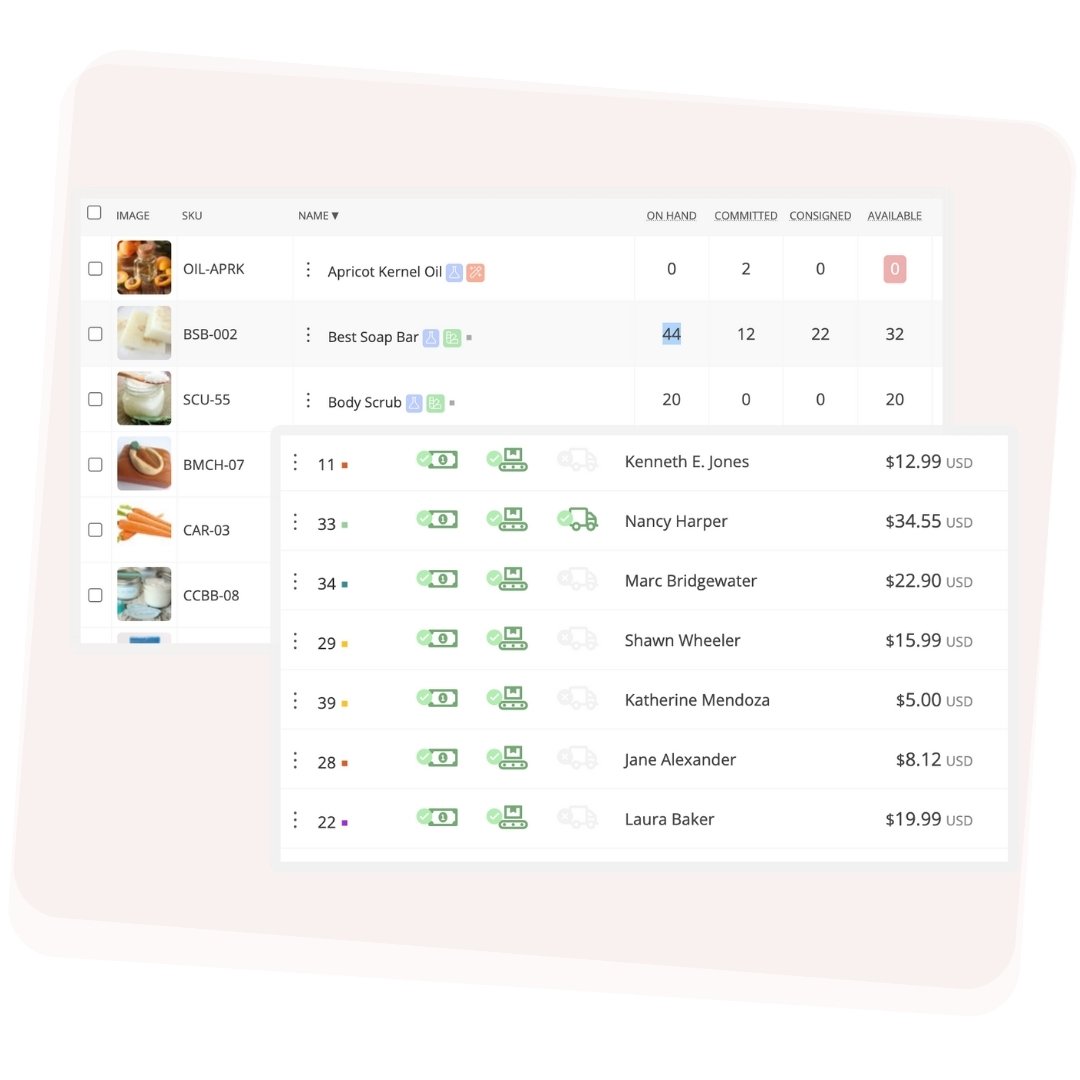
Real-time inventory control

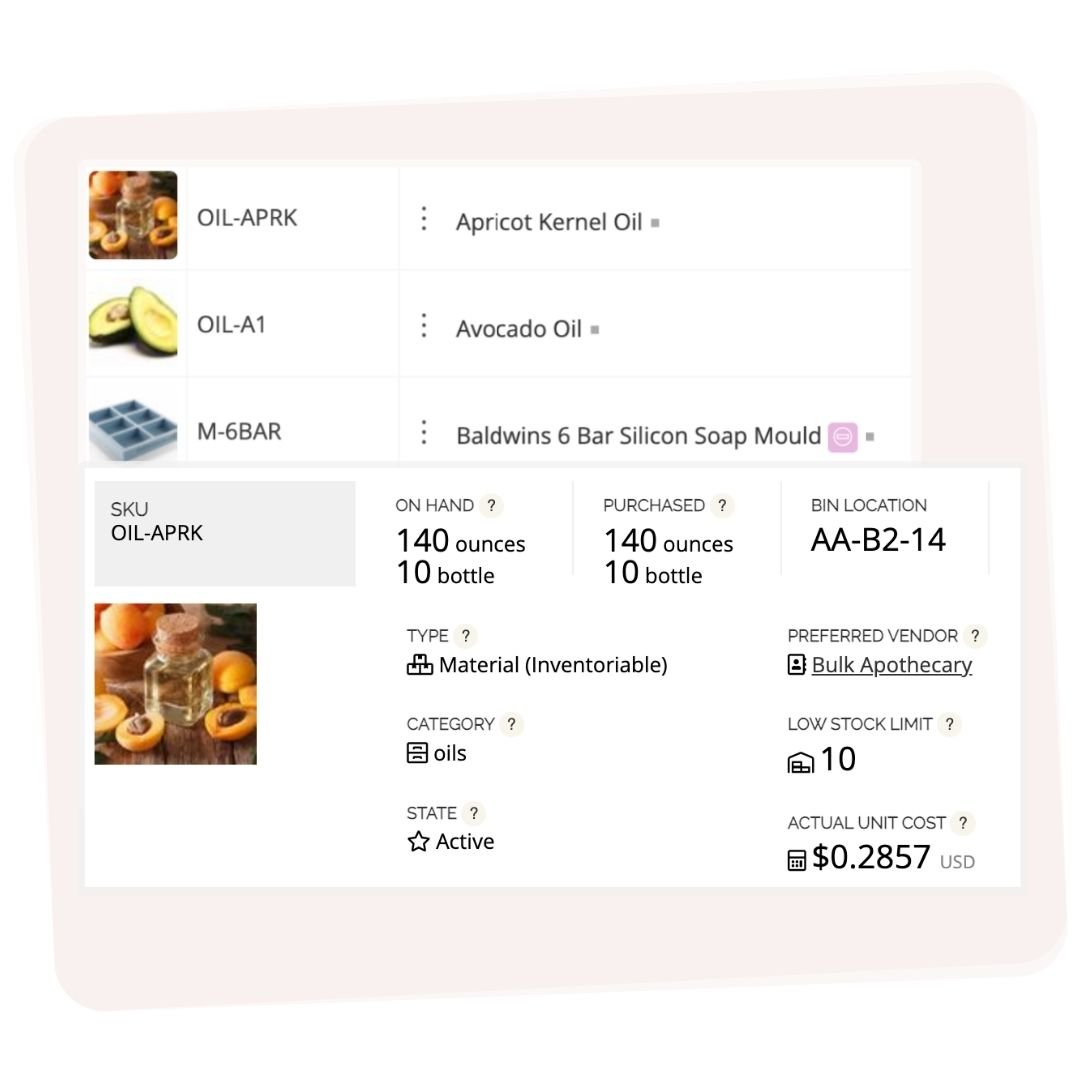
Know exactly what you have on hand and when to reorder. Craftybase gives you real-time visibility into material and stock levels, with sortable, searchable lists of all your inventory (photos included) accessible online from anywhere. Keep stock under control so you're never caught short mid-production.

Material inventory tracking

Traceability at your fingertips

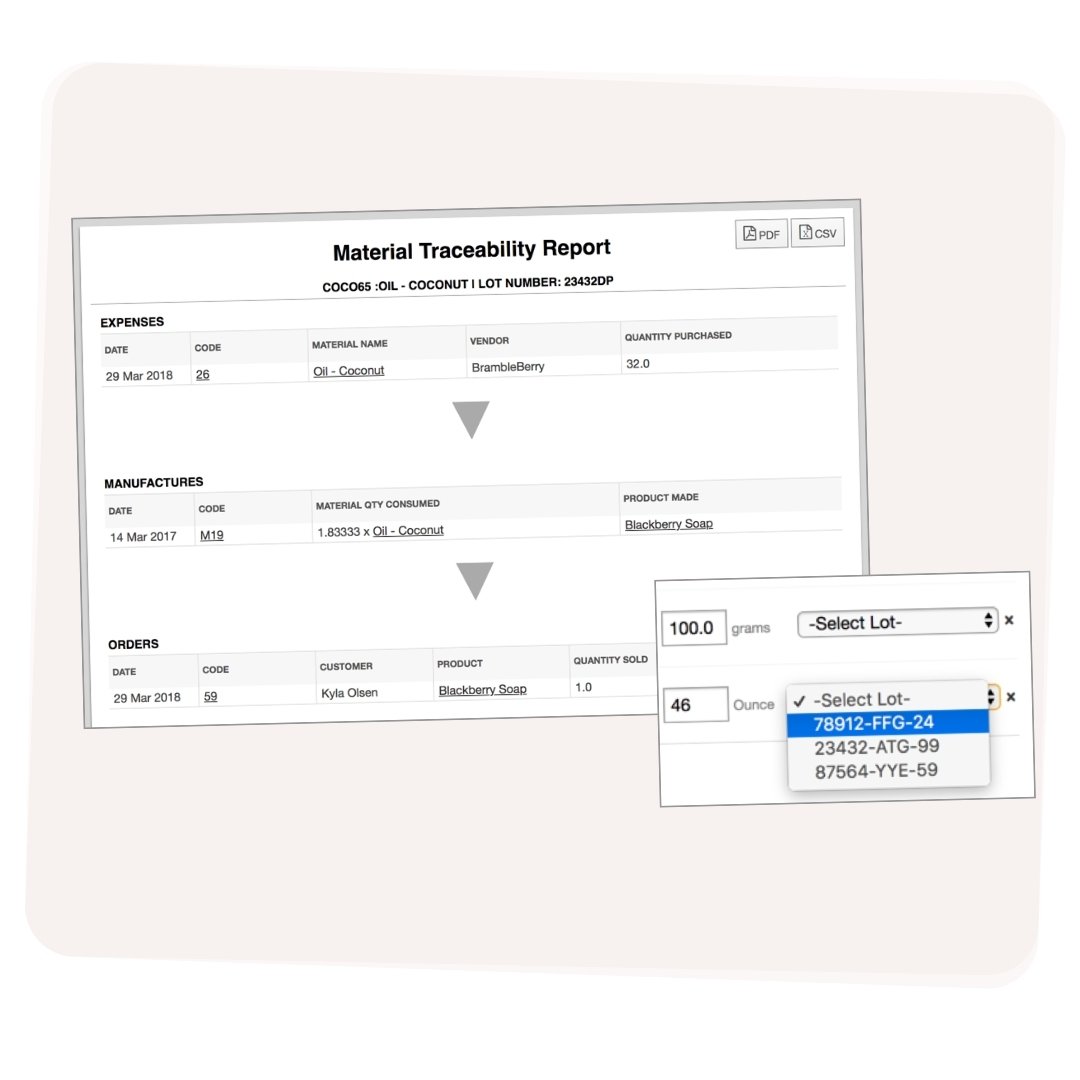
Keep your manufacturing business fully compliant. Our purchase-to-sale GMP solution gives you batch and lot tracking, supply chain traceability, and expiry date features, so you have accurate records ready even during a product recall. No scrambling for data when it matters most.

Know your real numbers: costs, margins, and profit by product

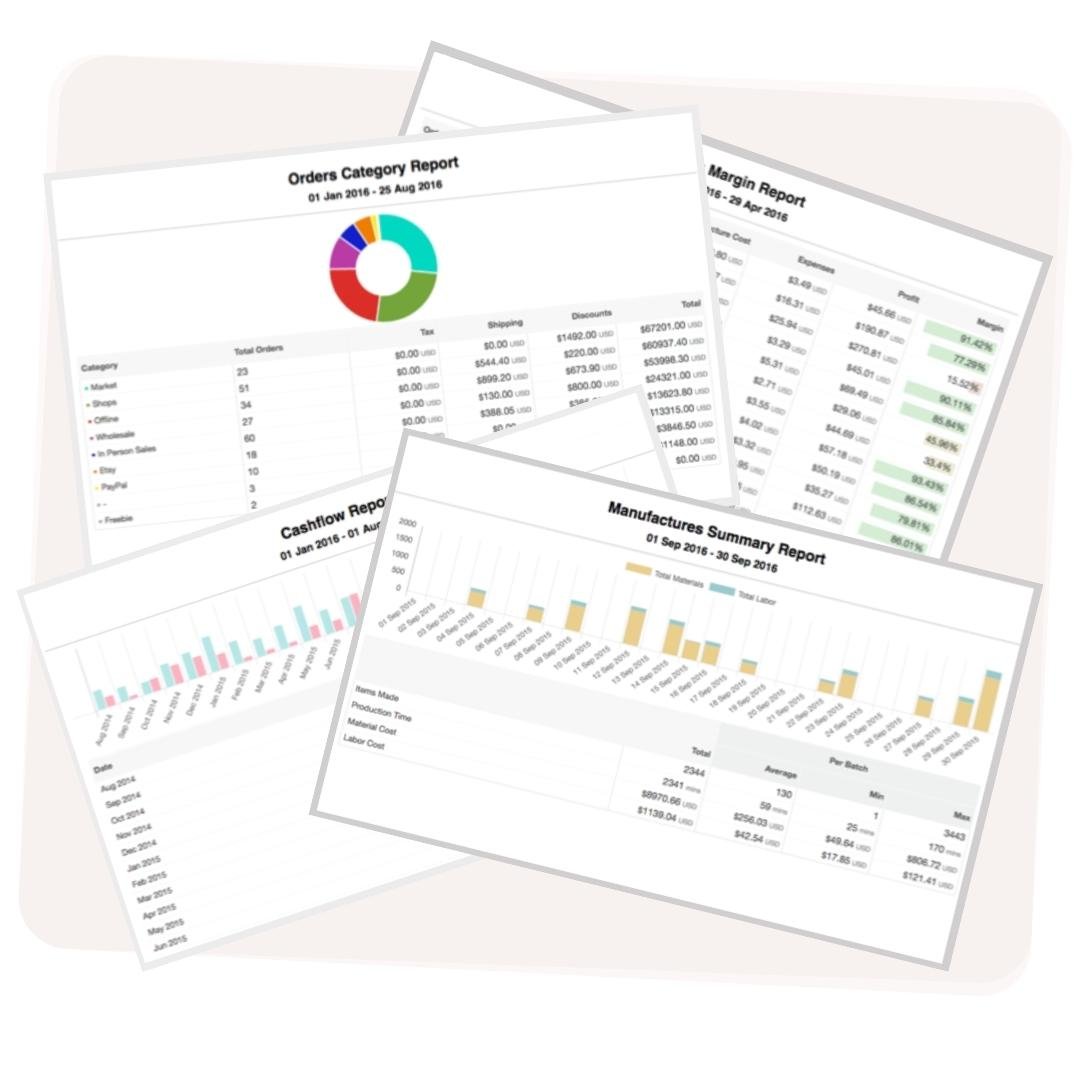
Craftybase breaks down manufacturing costs, margins, and profitability by product, so you can see exactly where money is going. Full COGS (Cost of Goods Sold) and BOM (Bill of Materials) tracking gives you the data to price with confidence and spot what's actually profitable in your Wix store.

Reports and analytics for small manufacturing business
Know your real costs. Track every material. Run your Wix store like a business.
Start your free trial today.
Start a 14 day free trial →

*no credit card required

Craftybase connects everywhere you sell

Import orders automatically and sync stock levels across all your channels — so you never oversell or run out of stock.

ShopifyEtsyWooCommerceAmazonSquarePayPalFaireWixSquarespaceQuickBooksShopifyEtsyWooCommerceAmazonSquarePayPalFaireWixSquarespaceQuickBooks

Scalable Solutions

Grow without limits

As your business expands, the Craftybase platform grows with you. An integrated MRP system built specifically for small businesses, with flexible plans to fit your industry, workflows, and preferences.

No long term contracts, no over-engineered features you'll never use. Just what you need to run your small-batch business properly.

I'm impressed with the ability to track minute quantities of essential oils and other materials used in multiple products. I love the conversion from purchase to tracking units, and love the ability to make components and recipes.

Elise Wishlow
Elise Wishlow
Press & Still

Craftybase makes it easy to create my formulas and automatically calculates what I need to use, when to re-order, how much it costs me to make my products, and so much more. I literally could not function without it!

Samantha
Samantha
Willow WaxCraft

This report makes tax time almost enjoyable. No more lists and spreadsheets — I just run the report for the time I need, and it's done!

Kelly Arias
Kelly Arias
Kelly Arias Jewelry

Craftybase has given me the tools amp; resources to accurately track my materials, recipes, and inventory. I love that I can build out my recipes and make adjustments to see my cost in real time.

Tiffany Jensen
Tiffany Jensen
Desert Bath Company

We do not know what we would do without this application. Spreadsheets and confusing documents is a thing of the past now!

Kahne
Kahne
Aerie Lane

I love that the app keeps track of how much material I have on hand and how much it costs me exactly… This allows me to really know how much my products cost me to make and how much I should charge.

Janna
Janna
Papercraft Miracles

My favourite feature is the software's ability to calculate the cost of our products in real-time, taking into account the increase in the costs of raw materials.

Lina Andreas
Lina Andreas
Baba's Soapery

Craftybase is an instrumental part of our bookkeeping. Having a business that manufactures products with countless raw materials, Craftybase keeps us organized and helps us have a clear picture of the health of our business.

Bri
Bri
The Good Hippie

I love that Craftybase keeps track of the cost of materials over time including shipping. As costs creep up I can make sure my product prices reflect that reality.

Arrowyn
Arrowyn
Little Gold Fox Designs

Craftybase allows us to be lean with our materials inventory so we won't have any overage of inventory. It provides a great easy-to-use analysis of COGS to help us better manage our margins.

Duke Ahrens
Duke Ahrens
Cirque Colors

Craftybase helps me keep my sales automatically entered into my system so that I can get on with doing the fun part: the creative products I make!

Kitty
Kitty
Oh Crumbs Bakery

It's super important that we can record and trace ingredient lots and production batches. Craftybase has made this process streamlined and easy to stay organized.

Angie Flickinger
Angie Flickinger
Waterbody

Stop guessing at your costs. Start your free trial and see what Craftybase does for your Wix store.

Start a 14 day free trial →

*no credit card required

Wix COGS FAQ

Frequently Asked Questions

How to include COGS in Wix

To include COGS in Wix, use the Cost per Item feature and keep it updated whenever your costs change. For tax purposes, calculate COGS with the standard formula: COGS = Beginning Inventory + Purchases - Ending Inventory. Account for cost fluctuations (varying supplier prices, multiple shipments) and do an end-of-year inventory count to get your ending inventory value. This lets you accurately report COGS on your Schedule C.

What is an app that keeps track of COGS correctly?

Craftybase is built specifically to help Wix sellers track COGS accurately, using GAAP-compliant methods that assign real material costs to every order as you manufacture and sell.

Craftybase lets you log purchase orders, sales records, and inventory levels so it can calculate COGS automatically. It tracks real-time inventory, shows your expenses and margins clearly, and helps you stay on top of stock without spreadsheets or manual tallying.

How do I find the COGS report in Wix?

The COGS report in Wix is found under the Reports tab. Select "COGS" from the left-hand menu and a period summary appears, based on the per-item costs you've entered. This report updates automatically when new orders are placed, but it is less accurate than a dedicated COGS tool because it relies on static per-item prices rather than actual material purchase costs. Craftybase tracks material costs at the purchase level for a more accurate result.

Why is Wix's built-in COGS tracking not enough for makers?

Wix's cost-per-item feature requires manual updates and doesn't account for varying supplier costs, batch production, or raw material usage. For makers who produce from recipes, accurate COGS requires tracking each ingredient purchase and deducting materials per manufacture run. Craftybase handles this automatically: your COGS is calculated in real time as you buy materials and record batches, not estimated from a static per-item price.

How does Craftybase calculate COGS for Wix sellers?

Craftybase calculates COGS using IRS-approved, GAAP-compliant methods, assigning material costs to each Wix order based on your full purchase history and rolling average unit prices. As you log material purchases and manufacture batches, Craftybase builds your COGS tally throughout the year. At tax time, you can generate a ready-to-use Schedule C COGS report without any manual calculation or year-end inventory scramble.

Track your materials, calculate your COGS automatically, and know your real margins, all in one place.

Start a 14 day free trial →

*no credit card required